Best Tarkov Settings: Graphics, FPS, Visibility and Audio (2026)
The settings that affect Tarkov's frame rate the most are Shadows, Overall Visibility and Object LOD. HBAO and SSR add little to the image and cost a lot, so turn both off. The values below are where 2026 settings guides agree; where they disagree, we say so.
First, know this: Tarkov is CPU-heavy
On large maps (Streets of Tarkov, Lighthouse) Tarkov leans on the CPU and RAM more than the GPU, so lowering graphics settings does not always fix stutter. If stutter remains, check your RAM first and whether the game is installed on an SSD; the official numbers are on the system requirements page.
Graphics tab
| Setting | Recommendation | Note |
|---|---|---|
| Texture Quality | High on 8 GB+ VRAM, Medium on 6 GB | Drop a step if VRAM fills up and you stutter |
| Shadows Quality | Low | One of the most expensive settings |
| Object LOD Quality | 2 to 2.5 | Stay near 2 on a weaker CPU |
| Overall Visibility | 1000 to 1500 | Above 2000 rarely helps and loads heavy maps more |
| Anti-aliasing | TAA | When playing at native resolution |
| Resampling | 1x Off | The old 0.5x trick makes distant targets harder to see |
| HBAO | Off | Eye candy with a high cost |
| SSR | Off | Reflections that add little to gameplay |
| VSync | Off | Adds input lag |
| NVIDIA Reflex | On + Boost | GeForce cards only |
Guides disagree on Anisotropic Filtering: some recommend the maximum because it is nearly free, others turn it off. Its FPS impact is small, so test it on your own PC.
DLSS and FSR: should you use them?
This is where guides disagree the most. Upscaling can blur distant detail, and spotting enemies at range matters, so some guides recommend native resolution with TAA on a strong GPU. If your GPU is struggling, try DLSS or FSR Quality and check long-range clarity through a scope.
PostFX: seeing on night maps
PostFX sharpens the image and lifts dark areas, but it costs FPS. Start with the values below, then test both in a dark interior and in a bright outdoor area.
| Setting | Starting value | Note |
|---|---|---|
| Luma Sharpen | 50 to 60 | Sharpens edges without shifting colors |
| Clarity | 30 to 40 | Lower this first if FPS drops |
| Colorfulness | 30 to 40 | Makes washed-out daytime raids less flat |
| Adaptive Sharpen | 0 | High values cause halos around edges |
| Brightness | Low to medium | High values wash out the sky and fog |
The right values depend on your monitor and room lighting; start from these ranges and adjust instead of copying one guide's numbers exactly.
Game tab
- FOV: Guides recommend anywhere from 63 to 75. A higher value shows more around you but makes distant players smaller; around 70 is a good start.
- Head Bobbing: The minimum (0.2). Head bob while running makes tracking targets harder.
- Automatic RAM Cleaner: Guides disagree. Start with it off on 32 GB of RAM and try it on with 16 GB or less. Some players report a short pause when it runs.
- Only Use Physical Cores: Mostly said to help on CPUs with efficiency cores (Intel 12th gen and newer). Keep it off on other CPUs, and turn it back off if it lowers your FPS.
Audio: hearing footsteps clearly
In Windows, turn off spatial sound (Windows Sonic, Dolby Atmos) and all audio enhancements, and keep the output stereo. Tarkov calculates sound direction itself, and virtual surround breaks it. Guides recommend a 48 kHz / 24-bit sample rate.
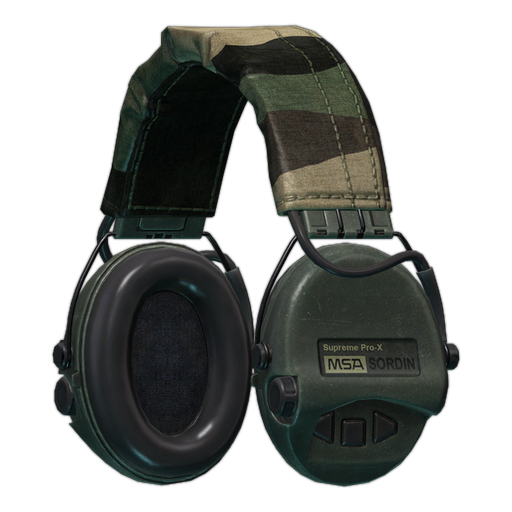
In game, set music to zero and the interface volume low. Guides are split on Binaural Audio: some call it essential with a good headset, others keep it off for cleaner sound. Try both for a few raids, then stick with one. Wear an in-game headset in raid; the ComTac and Sordin amplify distant footsteps.
How to test your settings
Change one setting at a time and check FPS in the same spot after each change. For a fair measurement, load into an offline raid on a heavy map (Streets of Tarkov); small maps like Factory do not show real performance.
Which setting gives the most FPS in Tarkov?
Guides agree on Shadows Quality Low and Overall Visibility between 1000 and 1500. Turning off HBAO and SSR also gains FPS without changing the image much.
Should I use DLSS in Tarkov?
Try Quality mode if your GPU is struggling. Upscaling can blur distant detail, so native resolution with TAA is preferred on a strong GPU.
What is the best FOV for Tarkov?
Guides recommend 63 to 75. Around 70 is a good start; a higher value widens your view but makes distant players smaller.